


Join our monthly newsletter where you will find interview advice, Prospect HQ updates, and more!
Share



How to Prepare For Your First Virtual Interview in 2026
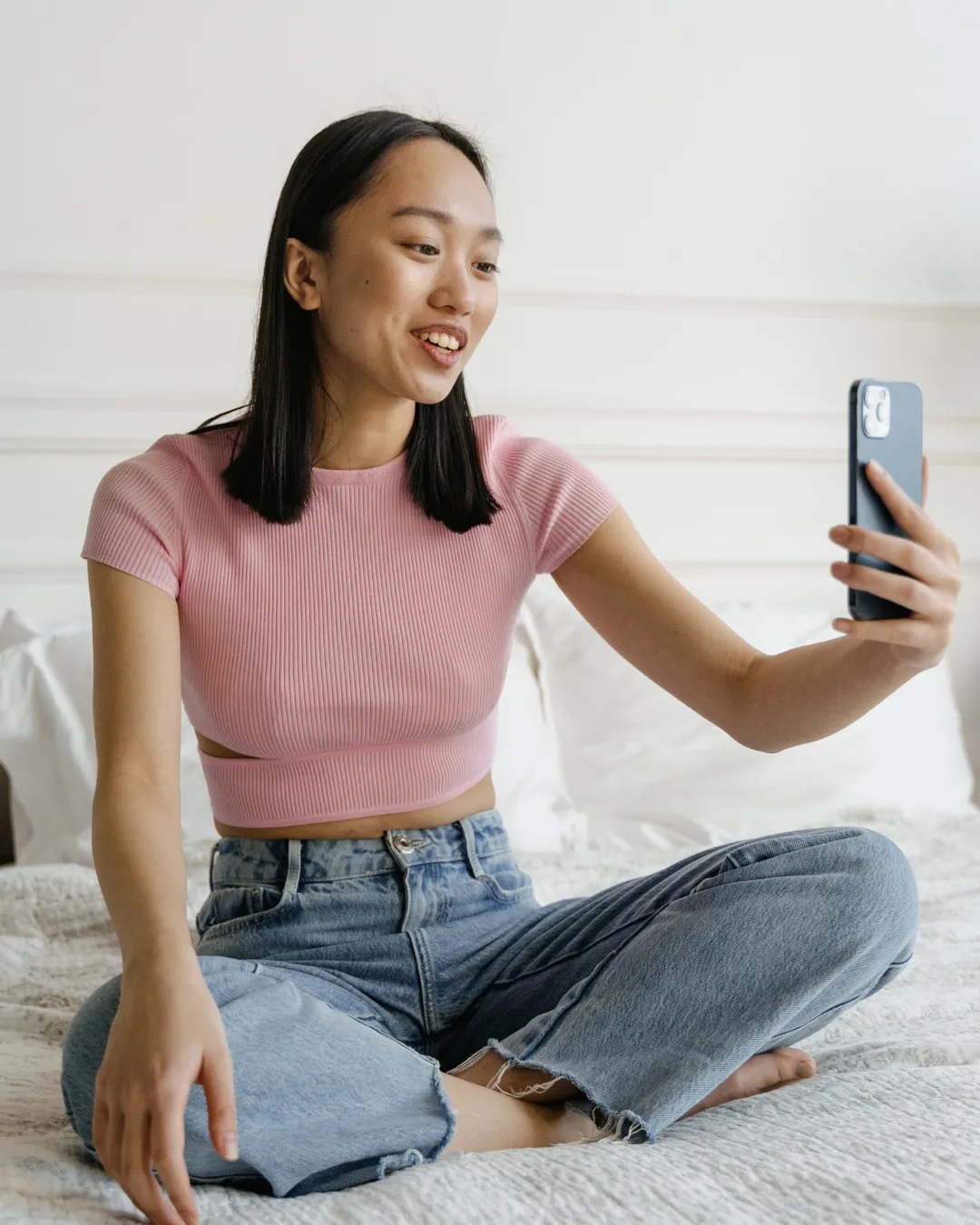
If you’re in your job hunting era, you've probably spent hours perfecting your resume, researching companies, and preparing for interviews. Then you get the email: "We'd love to schedule a video call." Suddenly, you’re now worried about lighting, camera angles, and whether your roommate will barge in mid-sentence, on top of the regular nerves that come along with an interview.
Virtual interviews aren't going anywhere. In 2026, they're standard practice for first-round interviews, screening calls, and remote positions. The companies hiring right now expect you to show up polished, prepared, and comfortable on camera.
Here's what actually matters when it comes to virtual interview preparation: the technical stuff is important, but it's table stakes. What separates candidates who get offers from those who don't is the ability to build genuine camera confidence and connect with interviewers through a screen. So, let’s get into the practical video interview tips that keep you from looking like an amateur, and the strategic approach that helps you actually land the job.
What is a Virtual Interview?
A virtual interview is a job interview conducted remotely using video conferencing technology like Zoom, Microsoft Teams, Google Meet, or other platforms. Unlike traditional phone screenings, virtual interviews allow hiring managers to see you, evaluate your professionalism, and assess cultural fit—all from different locations.
Think of it as game film for your career. You're being evaluated not just on what you say, but how you present yourself, how you handle the technology, and whether you demonstrate the same preparation and discipline that made you successful in your sport.
Scenarios Where You Will Likely Have a Virtual Interview
Screening Calls
Many companies now conduct initial screenings via video rather than phone. A biotech startup in Boston might connect with a recent biology major in California who is looking to relocate for a 15-minute intro conversation. These quick virtual touch points help recruiters assess basic qualifications and communication skills before investing in longer interviews.
First Round Interviews
Most companies now default to video for first-round interviews. It's faster for them, cheaper for you, and eliminates the logistics of coordinating in-person meetings across multiple candidates. Regardless of if the role is in-person or remote, expect your first substantive interview to happen on screen with potentially one or more interviewers.
For a Remote Position
If you're applying for remote roles—say, a digital marketing coordinator position where you'd work from home—expect the entire interview process to be virtual. Companies hiring for remote positions use video interviews to gauge how you communicate through digital channels, since that's how you'll work daily.
For a Role in a City Where you are Not Located
Pursuing an investment banking analyst position in New York while finishing your senior year in Arizona? A consulting role in Chicago but currently based in Florida? Virtual interviews eliminate geographic barriers, letting you explore opportunities nationwide without the immediate need for relocation.
Pro Tip: If you are looking to relocate to a specific city or open to relocation, be sure to indicate that in your application. You don’t want to lose out on opportunities just because you aren’t currently based in the city where the job is!
For an Internship
Internship recruiting has gone almost entirely virtual. From accounting internships at Big Four firms to summer analyst positions in finance, from sports marketing roles, to healthcare administration programs—companies now conduct initial interviews on screen. Virtual interviews let you pursue internships nationwide without missing training or taking multiple days off for travel.
The competitive advantage? Platforms like Prospect HQ let you stand out before the interview even starts. Your video profile showcases the discipline and work ethic that made you successful in your sport, giving employers context that a resume alone can't provide. By the time you're in the virtual interview, they already understand your background and are genuinely interested in learning more about you.
10 Best Tips for your first Virtual Interview
Choose your Interview Location Strategically
You need to find the right environment for your interview so you’re able to perform your best. Here’s how you can do so:
Lighting is your MVP. Natural light from a window facing you works beautifully, but avoid sitting with a window directly behind you—you'll appear as a silhouette. If natural light isn't an option, try a ring light or desk lamp positioned at eye level. First impressions start with visibility!
Choose a quiet, non-distracting background. Your childhood bedroom with sports trophies might tell a story, but a clean, neutral background keeps the focus on you. If you're interviewing from a shared apartment or dorm room, most platforms offer background blur or virtual backgrounds.
Timing is everything. Don't schedule your interview during your lunch break at your current job while you're sitting in your car. Give yourself breathing room. If you're currently working or in classes, try to block off an hour of time where you can be distraction free. You need mental space to focus, just like you need quiet time before a big game to visualize success.
Eliminate distractions completely. Pets, roommates, siblings, delivery notifications—think through everything that could interrupt you. Put your phone on Do Not Disturb. Silence notifications on your computer. If you have a dog who barks at every sound, arrange for them to be walked during your interview.
Test your Technology Before the Interview Starts
Download the conferencing platform in advance. If the interview is on Microsoft Teams and you've only used Zoom, download Teams at least 24 hours beforehand or test that the browser version works on your computer. Companies sometimes use industry-specific platforms like BlueJeans or Webex. Browser versions work, but downloaded apps typically offer better stability and features.
If you’re still in college and don’t have a viable laptop on hand, try to reserve on in the library or see if your career services center offers laptop rentals or private room rentals you can conduct the interview in.
Run a full tech check. Test your microphone, speakers, and camera. Wipe your camera lens—a smudged lens makes you appear unprofessional. Check your audio by recording yourself. Can you hear yourself clearly? Is there an echo or feedback? You can use earbuds or headphones during your interview, just ensure a seamless connection if they are bluetooth so you are not fumbling at the beginning of the interview to get your headphones connected.
Consider upgrading your equipment. If you're seriously pursuing virtual-first careers—think software development, UX design, or digital project management—investing in quality equipment sends a message. A good external webcam ($60-100) delivers sharper video than most built-in laptop cameras. A USB microphone ($40-80) eliminates background buzz and makes you sound crisp and professional. An extra monitor helps you maintain eye contact while referencing your notes.
Set up your screens strategically. Position your camera at eye level. If you're using a laptop, prop it on books if needed. Looking down at the camera makes you appear disengaged; looking up creates an awkward angle. Your eyes should naturally meet the camera lens when you're looking at the interviewer's video feed.
Plan your Outfit
They might only see your top half, but dress as you would for an in-person interview. Full professional attire gets you in the right headspace—it's the mental equivalent of putting on your uniform before competing.
For corporate roles in finance, consulting, or law, that means a professional blazer. For creative fields like graphic design or content creation, business casual with a polished top works. For healthcare positions, clean and professional is key. Even if the company culture is casual, err on the side of overdressing for the interview. You can always dress down once you're hired.
Stay Grounded
Your physical presence matters in virtual interviews, even through a screen.
Keep your feet planted on the ground. Sitting with your feet flat creates stability and confidence. Crossed legs or tucked feet can make you fidget or appear less grounded. The more you can sit still, the more calm and grounded you will be throughout the interview.
Manage your hand movements. Talking with your hands is natural, but on camera, excessive gesturing becomes distracting. Keep your hands within frame and use purposeful, controlled movements.
Mind your posture. Sit up straight with your shoulders back. Slouching reads as disinterest or lack of professionalism. If you struggle with posture, put a post-it note of your favorite color on your monitor as a reminder to sit up straight throughout the interview. Or, you can pretend there is a string pulling your head towards the ceiling, whatever it takes for you to remember to have that confident posture.
Practice Building Camera Confidence
Just like you practiced free throws or penalty kicks until they became second nature, practice common interview questions until your answers flow naturally.
Have responses ready for questions like:
- "Tell me about yourself"
- "Why are you interested in this role?"
- "What are your greatest strengths and weaknesses?"
- "Describe a time you overcame a challenge"
- "Where do you see yourself in five years?"
Here's the key: Don't read from anything. You can have bullet points nearby as a safety net, but reading sounds scripted and disengaged.
Oftentimes, the hardest question out of all of these examples is “Tell me about yourself.” Your athletic background gives you incredible stories. Translate them thoughtfully. If you balance your athletic background with your professional interests, while showcasing some of your personality– this answer can be a very strong start to your interview.
Have a Plan If Things Go South
Technology isn't always reliable. Having a backup plan shows professionalism and problem-solving skills.
Get contact information upfront. Often, recruiters share their cell number or direct email before the interview. Save it. If you get disconnected, text or call immediately: "Hi [Name], looks like we got disconnected. Rejoining now!" This shows you're calm under pressure.
Don't panic if you lose connection. Take a breath, rejoin the meeting, and apologize briefly without dwelling on it. "I apologize for that—my connection dropped for a moment. Where were we?"
Red flag warning: If an interviewer responds poorly to technical difficulties beyond your control or penalizes you for connection issues, that's a signal about company culture. You want to work somewhere that values adaptability and understands that technology fails sometimes.
Join the Call Early
Arriving early is a power move in virtual interview preparation. It demonstrates initiative, gives you a final tech check, and shows respect for the interviewer's time.
Aim to join 5-7 minutes early. Joining 15 minutes early might catch your interviewer off guard if they're wrapping up another meeting. But those few extra minutes let you:
- Test audio and video one final time
- Take a few deep breaths
- Review your notes
- Get mentally centered
Have a notebook or notepad nearby to take notes
Taking notes during a virtual interview demonstrates active listening and genuine interest.
Verbalize it. When the interviewer shares something important, say: "That's really interesting—do you mind if I jot that down?" You want to make sure that the interviewer knows you're engaged and ensure they don't mistake your note-taking for distraction.
Notes are especially valuable when interviewers describe:
- Specific role responsibilities
- Team structure
- Company challenges you might help solve
- Key success metrics
- Next steps in the process
- Benefits or other important HR information
After the interview, you can reference your notes in your follow-up email and discuss those specific challenges and how your experience can help.
Prepare Thoughtful Questions
You should have questions written down, but also be an active listener ready to ask follow-up questions based on the conversation's natural flow.
Prepare 3-5 questions in advance. Quality beats quantity. Strong questions include:
- "What does success look like in this role after six months? After a year?"
- "Can you tell me about the team I'd be working with?"
- "What are the biggest challenges facing your department right now?"
- "What do you enjoy most about working here?"
- "What's the next step in your interview process?"
Listen actively for question opportunities. If an interviewer mentions the company is launching a new product line, ask about it. If they reference recent company growth, inquire how that impacts the role. These spontaneous questions show you're engaged and thinking critically.
Most Importantly: Be Yourself

I'm sure you've heard this hundreds of times, but this is perhaps the most important of all video interview tips: authenticity wins.
Remember, virtual interviews are a two-way street. Yes, they're evaluating you, but you're also evaluating them. Does their company culture align with your values? Do you connect with the interviewer? Can you see yourself thriving there?
Your athletic experience taught you about team chemistry and cultural fit—trust those instincts. If something feels off during the interview, pay attention to that. If you feel energized and excited, that's important insight too.
The same discipline that made you wake up for 6 AM practices, the teamwork that taught you to trust your teammates, the resilience that got you through injuries and losses—these aren't just stories for interviews. They're part of who you are. Let that show.Don’t put pressure on yourself to give the “perfect” answers, and instead try to have a genuine conversation.
What to Do After a Virtual Interview
Take Stock of How it Went
Immediately after the interview, spend 10 minutes reflecting while everything is fresh:
- What questions did you answer well?
- Where did you stumble?
- What did you learn about the company and role?
- How did you feel about the interviewer and culture?
- What would you do differently next time?
This reflection is like watching game film. It helps you improve for next time, regardless of outcome.
Send Timely a Follow-Up
Send a thank-you email within 24 hours—ideally within a few hours of your interview wrapping up.
Your follow-up should:
- Thank them for their time
- Reference something specific from your conversation
- Reiterate your interest in the role
- Mention how your skills align with their needs
- Keep it concise (3-4 short paragraphs max)
Example:
Subject: Thank you - [Position] Interview
Hi [Interviewer Name],
Thank you for taking the time to speak with me today about the Marketing Coordinator position. I really enjoyed learning about the upcoming product launch you mentioned and how this role would support that initiative.
Our conversation reinforced my excitement about this opportunity. The collaborative team environment you described aligns perfectly with what I'm looking for, and I believe my experience managing social media campaigns for [specific example] would allow me to contribute to the team quickly.
Please let me know if you need any additional information from me. I look forward to hearing about next steps.
Best regards, [Your Name]
Regardless of how you think the interview went, send the follow-up. You might have been too critical of your own performance. Maybe they loved you and you just didn't realize it. The follow-up is good practice and demonstrates professionalism.
If you don't hear back within the timeframe they mentioned, it's acceptable to send a brief check-in email after a week or so. Something simple: "Hi [Name], I wanted to follow up on my interview from [date]. I remain very interested in the [Position] role and would appreciate any updates you can share about the timeline. Thank you!"
Virtual Interview Preparation with Prospect HQ
At Prospect HQ, we understand that the transition from student-athlete to young professional requires more than just a resume. It requires community, support, and resources that speak to your unique journey.
Our platform connects current and former student-athletes with employers who value the discipline, teamwork, and resilience that sports cultivate. We help you translate your athletic experience into professional strengths and build camera confidence through video profiles that showcase who you really are.
Virtual interviews might feel unfamiliar now, but with the right preparation, they become another arena where you can compete and win. You've already proven you can perform under pressure. Now it's time to take those same skills and apply them to your career.
Remember: You didn't become successful in your sport overnight. You practiced, learned from mistakes, refined your technique, and kept showing up. The same approach works for virtual interviews. Each one is an opportunity to get better, build camera confidence, and move closer to a career that fits you.
Ready to start your job search with a community that understands your journey? Join Prospect HQ and connect with opportunities, mentors, and fellow athletes who've been exactly where you are.
.jpg)
.jpg)